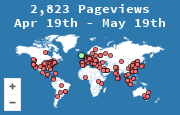
A static page has nowhere for a plugin to hide. The snippet is either in the file the browser received, or it is not. That makes HTML the clearest install, and the easiest to get wrong by testing the file from your disk instead of from the host you registered.
Paste it at the end of the body
Create the widget for the live hostname at create a widget. Put the image embed just before </body> if it should be on that page only. Put it in the shared layout if every page should count.
<a href="https://mapmyvisitors.com/web/your-id" title="Visitor map">
  <img src="https://mapmyvisitors.com/map.png?d=your-widget-key" width="240" height="160" alt="Map of recent visitors">
</a>
Replace both placeholders with the values from your widget page. The width and height reserve space so the page does not jump when the image arrives. Skipping them does not break the count. It does make the layout twitch, which is the performance issue in does a visitor map slow down a site. The script embed, if you prefer the interactive map, belongs in the same spot and should not sit in the head without defer.
Test the served page
Opening index.html from the desktop loads the image too, and the visit may be recorded, but you will not be looking at the site your visitors get. Upload the file, purge any cache in front of it, and load the https URL.
- View source and find the snippet.
- In the network panel, find the request to
map.pngor the widget script. Status 200, or a cache of a previous 200, means the count happened. - Open your stats page and match the URL.
A content-security policy that blocks images from other hosts will stop the request. The console says so. Allow the MapMyVisitors host, or the map never loads. The rest of the failure list is check that the widget is recording.
WordPress hides this paste inside blocks. The equivalent steps are adding the map in WordPress. The snippet does not change.