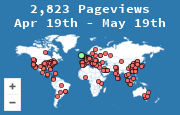
A webmaster's guide to getting the most out of your visitor statistics. From exporting data and analyzing logs to geographic visualization, SEO optimization, and security monitoring.
When exporting visitor data, select a date range that matches your analysis goals — weekly for trend spotting, monthly for reporting. Always include key fields: timestamp, country, city, page URL, and referrer. Use UTF-8 encoding to preserve international characters in city and country names. Save raw exports separately before making any modifications so you always have an unaltered source of truth.
Pivot tables turn raw visit logs into actionable summaries. Place country or page URL in the rows area, date in the columns area, and visit count as the value. This instantly reveals which pages attract the most traffic by region. In pandas, use pd.pivot_table(df, values='visits', index='country', columns='month', aggfunc='sum') to achieve the same result programmatically.
Remove duplicate rows caused by bot traffic or repeated page reloads. Standardize country names — merge variations like "USA," "US," and "United States" into a single value. Convert timestamps to a consistent timezone before comparing date ranges. Filter out internal visits by excluding your own IP addresses or known office locations.
Use dedicated tools for crisp, full-page captures:
Use Google Slides for collaborative reports or Canva for visually polished decks. Keep slides focused: one metric per slide, large chart with a single takeaway sentence. Use consistent color coding that matches your dashboard palette.
While the built-in map widget shows visitor locations at a glance, exporting your data and using dedicated tools unlocks deeper geographic insights.
Import a CSV of visitor locations to quickly plot pins on a shareable map. Best for simple presentations.
Open-source, browser-based tool ideal for heatmaps and time-series animations from large datasets.
Create fully custom-styled maps with tilesets from your data. Supports embedding via API.
Free desktop GIS for power users. Overlay visitor coordinates with census, economic, or infrastructure data.
Produces clean, embeddable choropleth maps from aggregated country- or region-level visitor counts.
Export your visitor log as a CSV with latitude and longitude columns. Upload it to Kepler.gl and select the heatmap layer — adjust radius and intensity to match your data density. For embedding on your own site, use Mapbox GL JS with its built-in heatmap layer.
Cross-reference the GeoIP-resolved country in your access logs with locations shown on your visitor map widget. Discrepancies often reveal proxy traffic, VPN users, or misconfigured CDN headers. Use the X-Forwarded-For header to capture real client IPs behind a reverse proxy.
Filter logs by user-agent strings matching known crawlers (Googlebot, Bingbot, AhrefsBot). Watch for abnormal patterns: hundreds of requests per second from a single IP, sequential URL crawling, or missing JavaScript execution. The gap between server-side log counts and browser-based analytics is a reliable estimate of bot volume.
When your visitor map reveals concentrated traffic from specific cities, act on it. Create location-specific landing pages, add your business to Google Business Profile, and include local keywords naturally. If visitors from a non-English region are growing, consider translating key pages.
Use Google Search Console to see which queries bring traffic, Ahrefs or SEMrush to audit backlinks and keyword gaps, and Moz to track domain authority over time.
Sort visitor data by country and city to find where engagement is strongest. Focus content efforts on those regions: write locally relevant topics, use region-specific examples, and schedule posts during peak hours for your top geographic segments.
Not all backlinks are equal. Use referrer stats to see which links send actual visitors versus those that exist only on paper. Prioritize building relationships with sites that drive real clicks.
MapMyVisitors shows where your visitors are geographically, while Google Analytics reveals what they do on your site. Use both: MapMyVisitors identifies regional patterns, GA tracks conversions and user flows.
Unique visitors, page views, server uptime, error rates (4xx/5xx).
Traffic sources, top landing pages, geographic distribution, bounce rate trends.
Conversion rates, returning vs. new visitors, page load speed, SEO rankings.
In Google Analytics, create alerts for when sessions drop below 50% or spike above 200% of your average. Use UptimeRobot for downtime detection. For advanced setups, connect data to Grafana with threshold-based alert rules.
Set a recurring 30-minute slot each Monday. Review: (1) traffic trends vs. previous week, (2) new geographic regions in MapMyVisitors, (3) top and underperforming pages, (4) any triggered alerts, and (5) one actionable change to implement that week.
Visitor location data reveals which regions drive the most conversions. If 40% of your traffic comes from Germany, test German-language landing pages or region-specific offers first. Geographic segments often respond differently to pricing, imagery, and calls to action.
Watch for unusual patterns on your visitor map: sudden traffic spikes from a single country, clusters of visits from data center IPs, or repetitive access patterns. These often indicate bot activity, scraping attempts, or potential DDoS attacks.
Compare server log hits with JavaScript-based analytics — the difference reveals non-browser traffic. Filter logs for known bot user agents, unusually high request rates, and sequential URL crawling. Use Cloudflare's Bot Analytics or reCAPTCHA v3 to score visitors automatically.
If you receive persistent attacks from specific regions with no legitimate traffic, use Cloudflare or your server firewall to restrict access by country. Use this as a last resort — always check your visitor map first to ensure you're not blocking real users.
Analyze which countries send the most traffic. If 15% of your visitors come from Brazil, translating key pages into Portuguese could significantly boost engagement. Don't guess — let your visitor map guide localization priorities.
If your visitor map shows significant traffic from distant regions, ensure your content is served from nearby edge servers. Use Cloudflare, AWS CloudFront, or Fastly to cache content globally and reduce latency for international visitors.
Localization goes beyond translation. Adapt date formats, currencies, measurement units, and imagery for each target market. Test localized pages separately — what works in the US may not resonate in Japan or Germany.
Your visitor map shows where users are. If most traffic comes from Europe but your server is in the US, that's a performance gap. Use geographic data to decide where to place servers or CDN nodes.
Free analysis of Core Web Vitals with actionable recommendations.
Detailed waterfall charts and performance scores. Test from multiple locations.
Advanced testing with filmstrip view, multi-step transactions, and global test locations.
Built into Chrome DevTools. Audits performance, accessibility, SEO, and best practices.
Images are often the largest assets on a page. Compress them before uploading:
Convert images to WebP or AVIF format for 30-50% smaller file sizes with no visible quality loss. Use tools like CleverUtils for batch conversion, and serve optimized images with the <picture> element with fallbacks for older browsers.
Create your free visitor map widget and start collecting actionable data today.
Create Your Free Widget