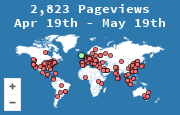
Adding the widget is a snippet, not a project. You create a site in MapMyVisitors, copy the code it generates, paste that code into your template, and load the page once to prove a visit was recorded. The steps below are the ones that actually fail in practice, and the checks that catch them.
Create the widget
- Open create a widget and add the site you want to track. Use the public hostname, the one visitors type.
- Pick a map or a 3D globe. Both plot the same visits. The globe is the louder visual. The map is easier to fit in a sidebar.
- Copy the snippet from the widget page. It is generated for that site. Do not reuse another site's code and expect the dots to land in the right stats.
You can change colors and size afterward so the widget matches the page. Do that after the first visit is visible. Styling a snippet that is not requested yet only wastes a round trip.
Paste it where every page includes it
The widget counts loads of pages that contain the snippet. A hit counter in the footer of the main template counts the whole site. The same snippet pasted into one blog post counts that post.
For a normal site, put it in the shared layout:
- a sidebar widget area, or
- just before
</body>, if you want it at the bottom of every page
Platforms that allow HTML (WordPress custom HTML, a static site, a hand-written template) can take the full snippet. A few older hosts strip JavaScript. For those, use the image version the widget page also offers. The image request is enough to record the visit and to draw the map.
The generated code is specific to your site. The shape of the image embed looks like this, with placeholders where your real id and key go:
<a href="https://mapmyvisitors.com/web/your-id" title="Visitor map">
  <img src="https://mapmyvisitors.com/map.png?d=your-widget-key" alt="Map of recent visitors">
</a>
Replace both placeholders with the values from your widget page. The link sends people to your stats page. The image is the map. A 1×1 image is the invisible counter variant, useful when you want the data and not the picture. The public map is the one you put where humans will see it.
What that request records, and what a dot does not mean, is covered in what is a visitor map.
Prove it before you announce it
- Publish the template.
- Open the page in a private window so a cached copy of the old template is not what you are testing.
- View the page source or the network panel and confirm the browser requested
map.pngor the widget script. - Open your stats page. The test visit should be there, in your country, on the URL you just opened.
If the stats page is empty, the usual causes are:
- The snippet is in a draft theme, not the live one.
- A caching plugin is serving HTML from before you pasted the code. Purge it.
- A content-security policy blocks the image or script. The browser console will say so. Allow the MapMyVisitors host.
- An ad blocker on your own browser blocked the test. Try another browser before you change the site.
- You added
wwwin the widget and the live site redirects to the bare domain, or the reverse. Track the host that actually answers.
A short checklist
- The snippet is in the shared layout, not a single post, unless a single post is all you want.
- The stats page shows your test visit on the right URL.
- The map is readable on a phone. A full-width map in a narrow column is a scrollbar, not a widget. Set the width to the column.
- You know this counts loads of the widget, so a page cached without the image will be invisible. That is the tradeoff of a snippet, and it is also why the test above matters.
- You are not treating the city dots as a mailing list. Country totals are the figure to take into an editorial or shipping decision. The method is in how to track visitors by country.
Once the test visit is real, leave it alone for a week and then read the country table. The widget's job from then on is to keep recording, and to show visitors that the audience is not theoretical.