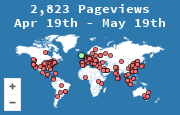
A visitor map is a picture of where recent visits came from. Each dot is a visit, placed by the network address of the browser that requested your page. It is a public, geographic view of traffic, not a list of named people.
That distinction matters. A map is good at "someone in this country just opened this page." It is a poor tool for "who is this person, and will they buy?" Use it for audience shape, social proof, and a fast read on geography. Use a fuller analytics product when you need funnels, campaigns, or revenue.
What you actually see
On the page, the widget is a world map or a globe with markers. Visitors to your site see the same picture you do, which is why people put it in a sidebar: it shows that the site has a living audience.
Behind the picture, a stats page usually breaks the same visits into:
- a count of visits over a date range
- countries and cities
- the page that was requested
- the referrer, when the browser sent one
- a browser and operating system, taken from the user agent
MapMyVisitors is built around that set: a map or 3D globe widget, plus a stats page for geography, pages, and referrers. It is free, and the widget is a small image or script rather than a heavy tag.
How a hit becomes a dot
The sequence is short.
- Someone opens a page that contains your widget snippet.
- Their browser requests the widget from the map service. That request is the visit.
- The service reads the IP address of the request and looks it up in a geolocation database that lives on the server. MapMyVisitors does this lookup offline. The IP is not sent to a third party to be placed on the map.
- The service stores a visit record: time, approximate place, page, referrer, and user agent.
- It answers with the map image, or with the data the interactive map draws.
A simplified record looks like this:
time:     2026-10-02 14:11 UTC
country:  Canada
region:   British Columbia
page:     /pricing
referrer: https://news.ycombinator.com/
browser:  Firefox on macOS
City and region come from the IP database. They are approximate. Country is usually right. A city can be the location of an ISP or a mobile gateway, not the visitor's street. A VPN or a corporate proxy places the dot where the exit node is.
The map does not receive an account name, an email address, or a cross-site advertising ID. Two visits from the same office can share an IP and look like one place. Two visits from one person on a phone network can look like different cities. Read clusters, not individual dots.
Visitor map, counter, and analytics suite
These three get mixed together because they all start with "someone loaded a page."
| Tool | Question it answers | What it is weak at |
|---|---|---|
| Visitor counter | How many loads happened? | Where, why, or which page |
| Visitor map | Where are recent visits, and which pages and referrers? | Funnels, revenue, logged-in identity |
| Product analytics (GA4 and similar) | What did people do across a session, and did they convert? | Being legible to a casual visitor of your site |
A counter is a number. A map is a number plus a place, often drawn where other people can see it. A suite such as Google Analytics stores events, sessions, and conversions, and it is aimed at the site owner, not at the public page.
If you only want to know whether a blog post is being read outside your own country, a map is the smaller tool and the faster answer. If you need to know whether a checkout step is losing people, the map will not tell you. Google Analytics alternatives walks through that split.
How to read the map without fooling yourself
A single dot from a country you do not serve is not a market. A week of dots is a hint. A month, compared with the pages those visits hit, is evidence.
Check three things before you act on a cluster:
- Your own visits. Open the site from the office and you paint your own city. Filter those out, or note them, before you treat a spike as an audience.
- Bots. Some automated clients still request images and scripts. A sudden pile of visits with no referrer and an odd user agent is worth a second look, not a localization project.
- The page, not just the country. A cluster on one article means that article traveled. A cluster spread across every URL often means the homepage, a widget impression, or a bot.
Then decide what the geography is for. A publisher might translate the page that Canadians keep opening. A shop might check shipping costs before celebrating a new country. A community site might leave the map up because the dots are the point: members like seeing the reach.
For a closer pass on the country table, see how to track website visitors by country. For the word people reach for next, bounce rate is a session idea, and a map does not compute it for you.
What a map should not claim
Do not describe a dot as a person you can contact. IP geolocation is not identity, and a privacy-friendly map is designed so you cannot reverse it into a visitor list. Do not add the widget and then tell advertisers you have verified demographics. You have places and page loads.
Do use the map as a live check that the site is being fetched from somewhere other than your laptop, and as a plain exhibit when you write "readers in 40 countries" and want the picture to match the sentence.