UTM stands for Urchin Tracking Module, a naming scheme that survived the product it was named after. The idea is smaller than the name: when you share a link, you append a few labeled fields so the visit can be tied to that share.
A referrer only says which site the browser came from. It does not say whether the click was the March newsletter, the April newsletter, or a button in the footer. The tags do.
The fields that matter
You will see five parameter names. Three of them carry almost every report.
| Parameter | What to put in it | Example |
|---|---|---|
utm_source |
The site or sender | newsletter, twitter, partner-blog |
utm_medium |
The kind of channel | email, social, cpc |
utm_campaign |
The effort this link belongs to | march-launch |
utm_term |
A paid keyword, if you have one | visitor-map |
utm_content |
Which creative, when one campaign has several links | header-button |
A finished link looks like this:
https://example.com/pricing?utm_source=newsletter&utm_medium=email&utm_campaign=march-launch&utm_content=header-buttonThe page is still /pricing. The tags ride along in the query string. Anything that records the full requested URL can see them. Anything that only records the hostname of the referrer cannot.
Rules that keep the data usable
Pick a style guide and do not improvise per link.
- Lowercase everything.
Newsletterandnewsletterbecome two sources. - Use hyphens, not spaces. Spaces turn into
%20and then into a second spelling. utm_sourceis who sent the click.utm_mediumis the channel type. Do not swap them from one month to the next.- One campaign name for one effort.
march-launch,march_launch, andlaunch-marwill not group. - Never tag links that stay inside your own site. Internal tags overwrite the original campaign on the next page view in tools that store the latest tags, and they fill your report with your own navigation.
- Do not tag a link if an intermediate redirect drops the query string. Click the result once and look at the address bar on the landing page.
utm_term is optional and mostly for paid search. utm_content earns its place when you are testing two buttons in the same email. Skip both until you have that problem.
Where the tags show up
In Google Analytics and in most privacy-focused suites, source and medium become a channel report, and campaign becomes a campaign report. That is the workflow UTM was built for. Google Analytics alternatives is the longer version of which tools bother to parse these fields.
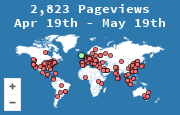
A visitor map does a different job. MapMyVisitors records the referrer and the page that was requested. It does not give you a dedicated UTM breakdown. You can still use tags honestly:
- The referrer tells you the site (
mail.google.com,t.co, a partner domain). - If the stats page lists the requested URL, a tagged landing URL is visible as its own page, which is enough to see that the March newsletter link was used.
- Country still comes from the IP, tagged or not. Tracking visitors by country does not depend on UTM.
If campaign reporting is the thing you log in to look at every Monday, use a tool that parses the five fields. Add tags at the moment you create the link, not after the campaign is over. Untagged clicks cannot be reconstructed later. The referrer will still say "email" or "twitter" in the best case, and nothing when the app hides it.