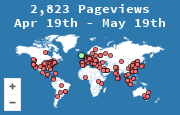
If you publish two sites, you want two maps. A shared snippet does not "also track the other domain." It records every load as traffic for the site the snippet was created for, and both audiences land in one stats page. You then cannot tell which country belongs to which property.
MapMyVisitors is built for more than one site in the same account. Each site gets its own widget and its own stats page. The dashboard is where you switch between them. The public map on each site shows that site only, which is what a reader of that site expects to see.
Add the second site as its own widget
- Open the account you already use. Do not create a second login unless a different person should own the data.
- Add the other hostname the way you added the first, from create a widget. Use the host visitors actually land on. If the site redirects
wwwto the bare domain, track the bare domain. - Copy the new snippet. It will not match the first site's code. Paste it into the second site's template only.
- Load the second site in a private window and confirm the test visit appears on the second stats page, not the first.
The install details, including the image fallback, are the same as adding the first widget. WordPress is the same plugin or custom-HTML step as the WordPress guide, done once per site.
What people mix up
- A staging host and the live host. Tracking staging fills the map with your own deploys. Track production. If you must watch staging, give it a separate widget and do not cite it.
- A subdomain that is a different product.
blog.example.comandexample.comare different audiences if the blog has its own readers. Give the blog its own widget if you want its own country table. Leave it on the main snippet only if you are happy to read both as one site. - The same site in two languages on two domains. Those are two sites. Two widgets. Comparing them is a spreadsheet problem after you export, not a reason to share a counter.
Reading them together
Once a month, open each stats page for the same 28 days and note the top countries and the top pages. Do not add the visit counts into one "company total" and then talk about a single audience. Two sites can both be mostly one country for completely different reasons. The value of separate widgets is that you can see that, instead of averaging it away.