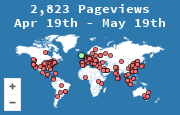
A referrer report lists the previous page the browser named when it requested yours. It answers "which site sent this visit," not "which campaign, ad, or button." Those are different questions, and mixing them up is how a short list of domains turns into a bad decision.
MapMyVisitors records the referrer with the visit, next to the country and the page URL. The report is a list of those sources over the date range you pick. Empty rows are part of the list. They are not a broken report.
What a row actually is
Each row is a hostname, sometimes with a path, and a count of visits that arrived with that Referer header. news.ycombinator.com means a page on Hacker News linked to you and the browser said so. t.co means the click passed through Twitter's shortener. google.com usually means a search result, but it does not say which query. Google has not sent the query in the referrer for years.
A blank referrer is not "unknown traffic" in the mysterious sense. It is a visit whose browser sent no previous page. That happens for typed URLs, bookmarks, many apps, and any link marked to hide the source. The name for that bucket is direct traffic. Read it as a bucket, not as a failure of the report.
Read it in this order
- Pick a range of at least a week. One afternoon is a story about whoever happened to post you.
- Write down the top five hostnames before you open another tab. First impressions stick, and the list is the check.
- For each hostname, open the pages those visits hit. A forum sending everyone to one article is a link. The same forum spread across the whole site is an audience that already knew you.
- Compare the same length of time just before. A source that doubled is news. A source that is always second is your baseline.
If two hostnames are the same company under different names (l.facebook.com and facebook.com, lm.facebook.com, m.facebook.com), add them in your head before you rank "social" against "search." The report will not do that merge for you.
What the report will not say
It will not say which email, which button, or which paid keyword. The browser only names the previous page. To tell two links on the same site apart, you tag the links you control. That scheme is UTM tracking. MapMyVisitors keeps the referrer and the requested URL. It does not turn those tags into a campaign report. If the stats page lists full URLs, a tagged landing address still shows up as its own page, which is enough to see that a specific link was used.
It also will not recover a source that the browser refused to send. HTTPS pages linking to you do send a referrer in normal cases. Apps, privacy browsers, and rel="noreferrer" do not. You cannot reconstruct those after the fact.
A monthly habit
Once a month, copy the top ten referrers next to the top ten pages. Note anything that moved by more than about a third. That is the whole use of the report. The map shows where the visits were. The referrer list shows which sites introduced them. Neither one is a marketing platform, and neither one needs to be, if the question you have is "who sent people here this month?"